 Bao CRM
How to follow up on a quote: timing and 5 email templates
To follow up on a quote, send a short message three to five working days after sending it, then a second follow-up with one simple question, and a last message before the quote expires. Mention the quote number and ask for one thing only. With no reply after three tries, close the file.
When should you follow up on a quote?
A quote with no reply rarely means no. Most of the time it is waiting for approval, a budget or a free moment. Use this timeline as a starting point:
| When | How | Why |
|---|---|---|
| 3 to 5 days after sending | Short email | Check that the quote arrived |
| 7 to 10 days after | Call, or email with a question | Understand what is holding things up |
| Before the quote expires | Email with the deadline | Get a decision |
| After it expires | Last email | Close the file and leave the door open |
These are guidelines to adapt. If the client gave you a decision date, wait for it and follow up the next day. For an urgent project, shorten the delays. To make the quote itself easier to accept, see how to write a quote for a job and start from our free quote template.
5 email templates to follow up on a quote
Copy them, replace the parts in brackets and keep them short. A follow-up gets read on a phone, between two meetings.
1. Check that the quote arrived
Subject: Your quote [number]
Hi [first name],
I sent you quote [number] on [date] and wanted to check it reached you.
Do you have any questions about it?
Best regards,
[signature]
2. Ask one simple question
Subject: [Project]: a quick question
Hi [first name],
Following up on [project]: is it still planned for [period]?
A one-line answer is all I need to plan on my side.
Best regards,
[signature]
3. Help when someone else decides
Subject: Quote [number]: can I help?
Hi [first name],
Your decision may depend on someone else. I can prepare a short summary of the quote, or talk to them directly.
Which would be most useful?
Best regards,
[signature]
4. Remind the client of the expiry date
Subject: Your quote [number] is valid until [date]
Hi [first name],
Quote [number] is valid until [date]. If you would still like to go ahead, let me know before then and I will hold the slot for you.
If your priorities have changed, a quick note will let me close the file.
Best regards,
[signature]
5. Close the file and leave the door open
Subject: Closing your quote [number]
Hi [first name],
As I have not heard back, I am closing quote [number] on my side.
If the project comes back, just reply to this email: I will pick it up again and update the quote.
Best regards,
[signature]
Following up on a quote by phone
A call helps when the amount is significant, or when two emails got no answer. It lets you hear the real objection. Keep it short:
Hi [first name], it’s [your name]. I’m calling about the quote for [project]. Do you have two minutes?
Where are you with your decision? Is anything making you hesitate?
End with a dated next step: a callback, an adjusted quote or closing the file. Write it down straight away.
Following up by text message
Keep texts for clients who already message you that way, or for a job coming up soon. One question is enough:
Hi [first name], it’s [your name]. Does the quote for [project] work for you? I can hold the [date] slot until [day].
Mistakes to avoid
- Not naming the quote. Your client may have received several. Give the number and the project.
- Asking a vague question. “Any news?” gets few replies. A precise question gets more.
- Offering a discount straight away. You do not know yet whether price is the problem.
- Inventing urgency. A deadline should match the real validity of the quote or your schedule.
- Following up forever. After three tries, close the file. You keep a healthy relationship and an accurate pipeline.
- Not writing anything down. Without a next follow-up date, the file ends up forgotten.
Tracking your quote follow-ups
A follow-up method only works if it lives in a tool you open every day. In Notion, create a follow-up view as explained in our Notion CRM guide, or start from our free Notion CRM template.
For other follow-ups, after a call, a meeting or a first exchange, use our follow-up email templates after no response.
Bao CRM sets this up for you:
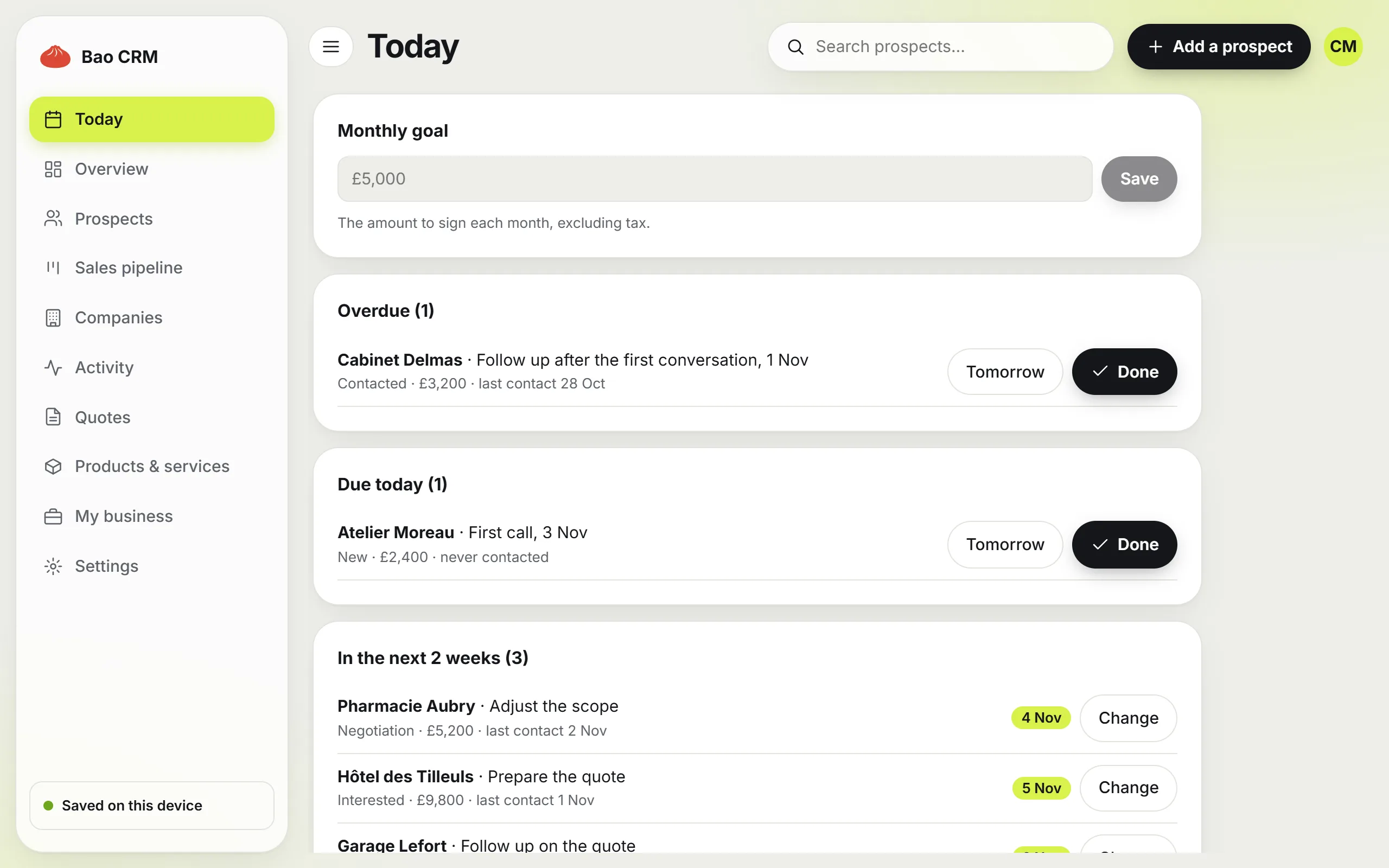
- Today page. Overdue follow-ups come first, and a section lists sent quotes to follow up before they expire.
- Quote follow-up template. The quote number and amount are filled in, and the message opens in Gmail, Outlook or your usual email app.
- Done button. It asks what comes next: a new date, Won, Lost or No follow-up.
Bao CRM never sends a follow-up on its own: you reread each message and send it yourself.
Frequently asked questions
When should I follow up on a quote?
Three to five working days after sending it, with a short message checking that it arrived. If the client gave you a decision date, follow up the day after that date instead.
How many times should I follow up on a quote?
Three times is usually enough: a check that it arrived, a simple question a week later, and a last message before the quote expires. After that, close the file politely.
How do I follow up without being pushy?
Keep each message short, mention the quote number and ask one easy question. Give the client something with each follow-up: a summary, an option or a real deadline.
What if the client never replies?
Send a last message saying you are closing the quote and that you are happy to pick it up again later. It often gets an answer, and it keeps your pipeline honest.
Should I offer a discount when following up?
Not straight away. You do not know yet whether price is the problem. Ask what is holding the decision back first.
Can quote follow-ups be automated?
The reminders can be: a CRM can tell you which quotes to follow up today. Sending the messages yourself, after rereading them, keeps them personal. Bao CRM prepares the email but never sends it on its own.