 Bao CRM
Free Notion CRM template for freelancers
This free Notion CRM template is a CSV file you import into your workspace. It creates a Prospects database with 15 properties, a seven-stage pipeline and seven sample rows. No sign-up and no email address needed: download it, import it and set the type of each property.
Download the CSV template See the import steps
What the template contains
The properties cover what a freelancer needs to track, from first contact to follow-up. They follow the method in our Notion CRM guide. Pick the type shown when you import.
| Property | Type to choose |
|---|---|
| Company | Title |
| Contact, Address, City, Next action, Notes | Text |
| Phone | Phone |
| Website | URL |
| Industry, Source, Status | Select |
| Amount | Number |
| Last contact, Follow-up date | Date |
Status has seven values: New, Contacted, Interested, Quote sent, Negotiation, Won and Lost.
How to import the template into Notion
- Download notion-crm-template.csv.
- In Notion, open Settings, then Import, then CSV. You can also type /csv in a page.
- Choose to create a new database and where to put it.
- Set each property to the type shown above.
- Check the dates: the file uses the month/day/year format Notion expects.
- Delete the seven sample rows once you see how it works.
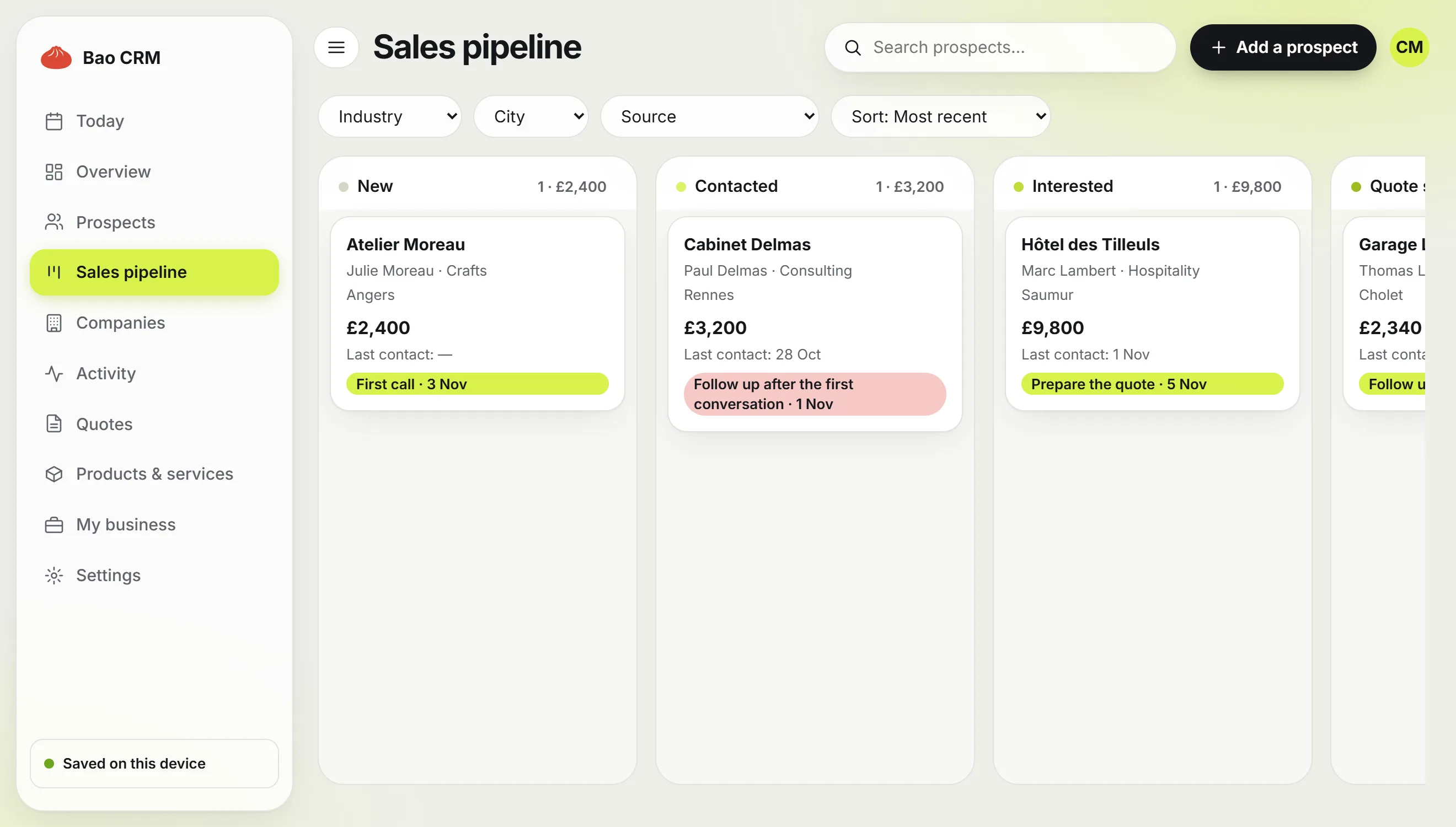
Two views remain to create: the pipeline, a Board grouped by Status, and the follow-up list, a Table filtered on Follow-up date. Both take a few settings, explained step by step in our guide to building a CRM in Notion.
Using the template day to day
A CRM only helps if you open it at the right moments. Three habits are enough:
- After every exchange, update Last contact and write the Next action with its Follow-up date. A prospect without a date is a prospect you will forget.
- Every morning, open the follow-up view, filtered on Follow-up date on or before today. Work through it before your emails.
- Once a week, look at the pipeline board: move cards that have changed stage, and close the files that have gone quiet for good as Lost.
For what to write when you follow up, use our quote follow-up email templates.
Three ways to get a free Notion CRM
| Option | Best for | What to plan for |
|---|---|---|
| This CSV template | Starting with a simple, clear structure | Setting property types and creating the views |
| Notion template marketplace | Duplicating a page that is already designed | Checking each template’s price, language and level of detail |
| Bao CRM free plan | Adding follow-ups and quotes to Notion | 10 active prospects, unlimited quotes |
What this template does not do
A template is still a database: it stores your information and waits for you to act. It does not remind you who to follow up, does not create PDF quotes and does not check them before you send them.
If you need those, Bao CRM adds them and creates its own four databases in your Notion workspace: Prospects, Products & services, Quotes and Business. For quotes, you can also start with our free quote template and generator.
Frequently asked questions
Is this Notion CRM template really free?
Yes. It is a plain CSV file you download directly, with no email address, account or payment asked for.
Does it work on Notion’s free plan?
Yes. Importing a CSV and creating board and table views are available on Notion’s free plan.
Why a CSV file rather than a page to duplicate?
A CSV works in any workspace and any language, and you see exactly what you import: one database, its columns and its sample rows. You then set each property type and build the views yourself.
How do I build the pipeline view?
Add a Board view to the database and group it by the Status property. Each status becomes a column, from New to Won and Lost.
Can I move from this template to Bao CRM later?
Yes. Bao CRM creates its own databases in your Notion workspace, and you can bring your prospects in by importing a CSV file. Check the preview before you confirm the import.